Creating A New Asset
To create a new asset, first navigate to the Assets Administration page in the sidebar:
Next, press the Add asset button in the top-right hand corner:
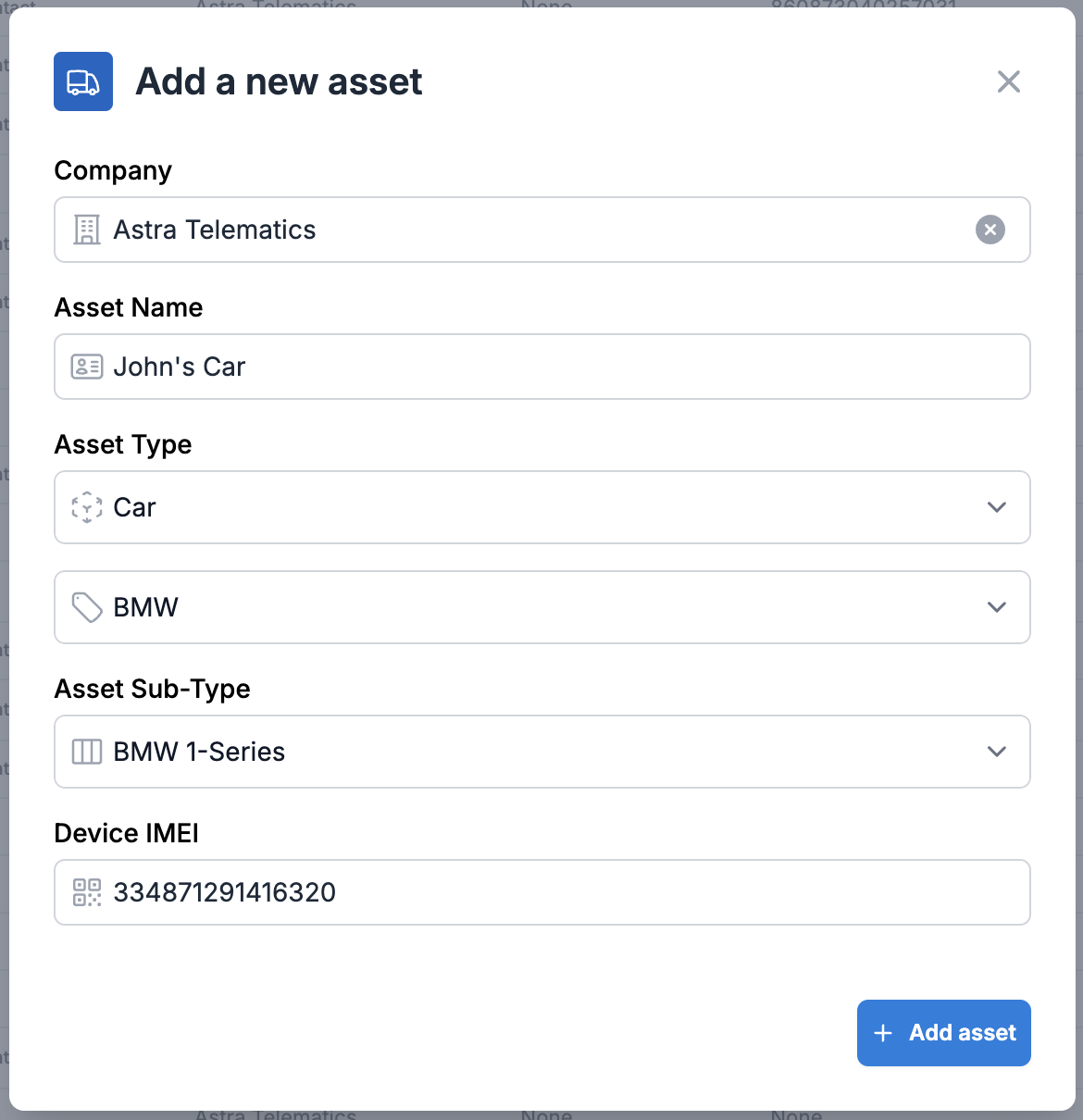
Next, fill in the necessary information, fields marked * are required:
Company* (the company this asset belongs to)
Name* (the name of this asset e.g. John’s Car)
Type* (the type of this asset e.g. Car)
Sub-Type (the sub-type of this asset e.g. BMW 1-Series)
Device IMEI* (the IMEI of the device installed on this asset)
Next, press Add asset
If this device has already connected to SmartFleet’s servers, your asset will be created and the specified device will be automatically assigned.
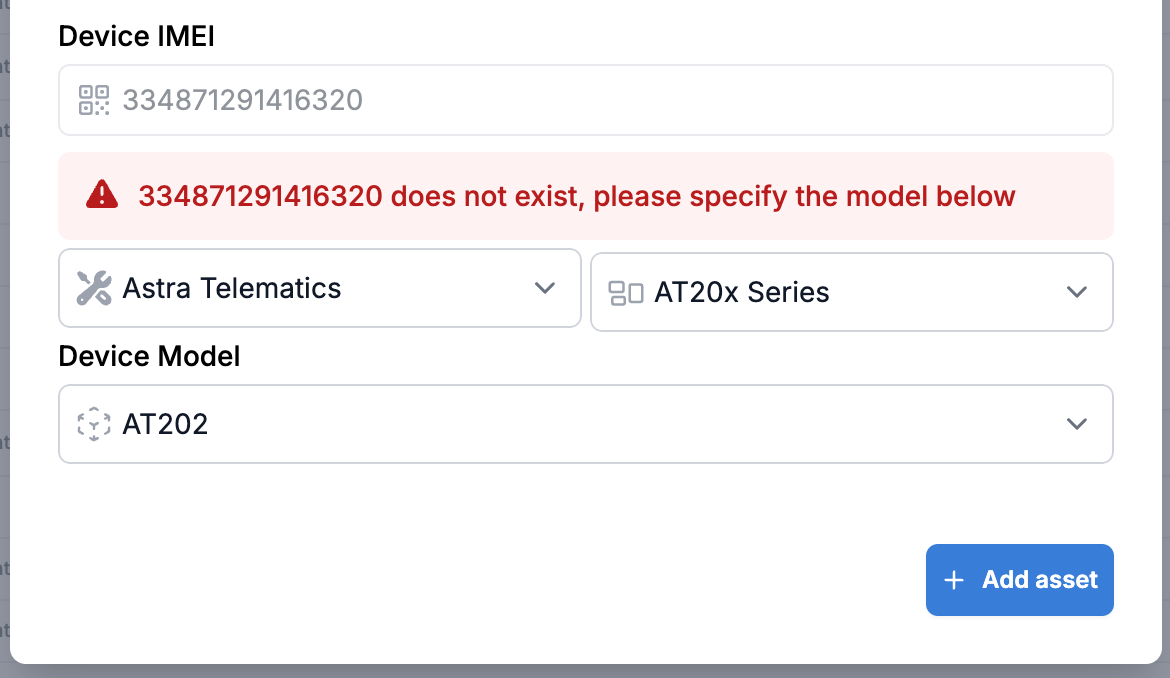
If this device has not been seen before, you will have to provide the device’s model information to continue.
Choose the appropriate device model and press Add asset again: